Complete Lobby, Any Screen
Every Blaze Spins game - pokies, live dealer tables, jackpots, and virtual sports - loads in the mobile browser with no reduction in catalogue size or account features.
App at Blaze Spins: PWA Installation
No app store, no download, no waiting. Open blazespinspokies.com on your phone and add it to your home screen for one-tap access to 13,000+ pokies, live dealer tables, and your full Blaze VIP account.
No app store, no download, no waiting. Open blazespinspokies.com on your phone and add it to your home screen for one-tap access to 13,000+ pokies, live dealer tables, and your full Blaze VIP account.
No app store, no download, no waiting. Open blazespinspokies.com on your phone and add it to your home screen for one-tap access to 13,000+ pokies, live dealer tables, and your full Blaze VIP account.
Play on Mobile Play responsibly - you must be 18 or older. Gambling involves risk and may lead to addiction. Bonus terms apply.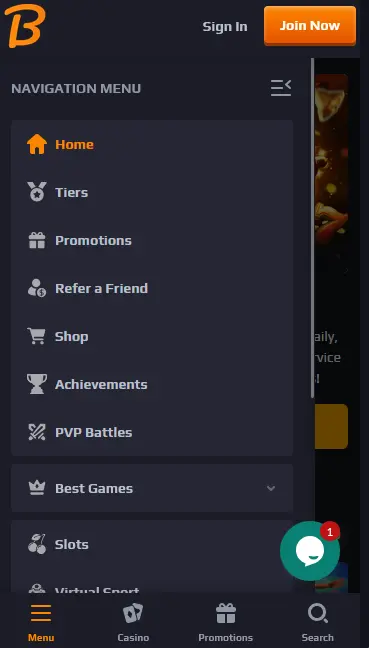
Mobile Account Security
What You Should Do
What You Should Avoid
Mobile Play - What to Know
Pros
Cons
Add Blaze Spins to Your Home Screen
What Mobile Play Delivers
Complete Lobby, Any Screen
Every Blaze Spins game - pokies, live dealer tables, jackpots, and virtual sports - loads in the mobile browser with no reduction in catalogue size or account features.
Smooth on 4G and Wi-Fi
Game tiles, Evolution Gaming live dealer streams, and the full cashier all perform on standard 4G. The layout switches cleanly between portrait and landscape on any modern smartphone or tablet.
Encrypted on Every Device
SSL encryption covers every mobile session the same way it covers desktop. Your balance, Blaze VIP tier, and active bonuses are protected and synchronised in real time across all devices.
Device Compatibility
Android
iOS
Blaze Spins runs on a fully responsive framework - the desktop and mobile experiences are the same product adapted to different screen sizes. There is no reduced mobile catalogue, no missing account features, and no separate login. Every game in the 13,000+ lobby, every cashier function, and the complete Blaze VIP tier system are accessible from any smartphone or tablet through any modern browser.
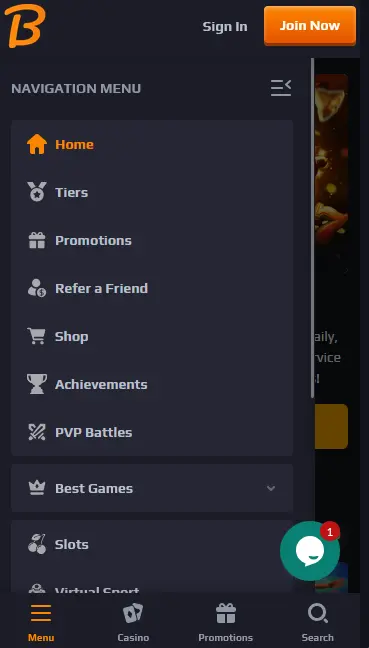
The mobile layout reorganises navigation into a touch-friendly bottom menu with collapsible category and provider filters suited to thumb browsing. The search bar, bonus buy filter, My Recent Games shortcut, and tier progress tracker all work identically to desktop. Live dealer streams from Evolution Gaming and Pragmatic Play Live run in high definition, and the video adjusts to screen dimensions without degrading on a stable 4G connection. Landscape mode is recommended for live roulette and game show titles such as Crazy Time, which have wider betting grids that benefit from the extra horizontal space.
The PWA (Progressive Web App) approach lets you pin Blaze Spins to your home screen so it opens like a native app with a single tap. Nothing is downloaded to your app storage, no app store account is needed, and site updates apply automatically without any manual action on your part.
Open Chrome on your Android device and navigate to blazespinspokies.com. When the site loads, tap the three-dot menu in the top right corner. Select Add to Home Screen from the drop-down list. Confirm the shortcut name and tap Add. The Blaze Spins icon appears on your home screen and launches the full casino directly.
Open Safari on your iPhone or iPad and navigate to blazespinspokies.com. Tap the Share icon in the Safari toolbar - the square with an upward arrow at the bottom of the screen. Scroll through the share sheet and tap Add to Home Screen. Confirm the name and tap Add in the upper right. The Blaze Spins shortcut appears on your home screen and opens in a full-screen view without the Safari browser interface visible around it.
Every game category in the Blaze Spins lobby runs on mobile without any titles removed or features disabled.
High-volatility Megaways titles, Bonus Buy pokies, classic three-reel machines, and progressive jackpot games all load directly in the browser. Gates of Olympus (Pragmatic Play, RTP 96.5%), Sweet Bonanza (Pragmatic Play, RTP 96.5%), Book of Dead (Play’n GO, RTP 96.21%), Dead or Alive 2 (NetEnt, RTP 96.82%), and Pirots 3 (ELK Studios, RTP 96%) perform on mobile identically to desktop. The category, provider, and bonus buy filters work by tap.
Evolution Gaming’s full live dealer catalogue - Lightning Roulette (RTP 97.30%), multiple blackjack variants, Speed Baccarat, Crazy Time, and additional game show titles - streams in real time on mobile. Pragmatic Play Live and Vivo Gaming tables run alongside them. Portrait mode suits most standard table games; landscape is recommended for game shows with multiple simultaneous betting panels.
RNG versions of roulette, blackjack, baccarat, and poker load instantly. Progressive jackpot titles including Mega Moolah (Microgaming) and Bonanza Megapays (Big Time Gaming) display the current network prize pool before you enter the game and update in real time during play.
All Blaze Spins promotions are accessible and claimable through the mobile browser. The 222% welcome bonus up to AUD $2,000 plus 222 free spins on Pragmatic Play pokies, the three daily reload structures (20% no-wager, 35% 10x, 50% 40x), and instant cashback are all available. Navigate to the promotions tab in the mobile lobby to see current offers. 18+ only. Wagering requirements apply.
The full Blaze Spins cashier is accessible through the mobile browser. Tap the Wallet icon in the navigation bar to open it.
| Method | Deposit | Withdrawal | Processing |
|---|---|---|---|
| Visa / Mastercard | Instant | Yes | 1-3 business days |
| Bitcoin (BTC) | Instant | Yes | Approx. 12 hours |
| Ethereum (ETH) | Instant | Yes | Approx. 12 hours |
| Tether (USDT) | Instant | Yes | Approx. 12 hours |
| Skrill | Instant | Yes | Up to 24 hours |
| Neteller | Instant | Yes | Up to 24 hours |
| Google Pay | Instant | Yes | Up to 24 hours |
| Apple Pay | Instant | Yes | Up to 24 hours |
Minimum deposit: AUD $33. Minimum withdrawal: AUD $75. Identity verification (KYC) must be completed before the first withdrawal regardless of method. Crypto and e-wallet deposits do not require KYC before depositing.
Open blazespinspokies.com in your mobile browser, tap Join Now, and fill in your email, password, and basic personal details. The process runs entirely in-browser with no redirects and completes in under two minutes.
Tap Sign In from the top menu, enter your registered email and password, and your account opens immediately. If you have added the PWA shortcut, your session may persist between visits depending on your browser cookie settings. The Forgot Password link on the login screen sends a reset email within minutes.
All data between your device and Blaze Spins - login credentials, payment details, and all account actions - is protected by SSL (TLS) encryption, the same standard used in online banking. This applies to every page and every action in the mobile browser.
For biometric access to your Blaze Spins session, enable the fingerprint or Face ID option in your browser’s or device’s privacy settings so your phone’s biometric lock gates access to the saved session. Account-level two-factor authentication settings are managed from the account security panel accessible after login.
Mobile App Questions - Blaze Spins
No. Blaze Spins does not have a native app in either store. The full casino runs through the mobile browser, and you can pin a PWA shortcut to your home screen for one-tap access that behaves like a native app.
No. Your existing Blaze Spins account works on all devices. Log in with the same email and password you use on desktop, and your balance, Blaze VIP tier, active bonuses, and saved favourites are all immediately available.
Yes. All Blaze Spins promotions, including the 222% welcome bonus up to AUD $2,000 with 222 free spins on Pragmatic Play pokies and all three daily reload structures, are fully claimable through the mobile browser. 18+ only. Wagering requirements apply.
Play Blaze Spins on Your Phone Now
Grab 222% up to A$2,000 and 222 free spins.
Enter Casino Play responsibly - you must be 18 or older. Gambling involves risk and may lead to addiction. Bonus terms apply.